Library Management System Using Python
The Library Management System is a command-line-based application developed using Python to automate basic library operations such as adding books, viewing available books, issuing books, and returning books. This project is designed specifically for beginners and undergraduate students to understand how real-world systems can be implemented using core Python concepts without relying on external libraries or complex frameworks. The system follows a simple and modular structure, making it easy to maintain, understand, and extend in the future.
Download complete source code from GitHub: https://github.com/collegelib/library_management_system_python
Demonstration
Objective of the Project
The main objective of this project is to provide a simple and efficient way to manage library records using Python’s built-in features. It aims to demonstrate practical usage of file handling, modular programming, and user interaction through a command-line interface. The project avoids databases and third-party dependencies so that new programmers can focus on logic building rather than configuration and installation issues.
System Architecture
The project is organised into three main components: the main execution file, a library logic module, and a text file used for data storage. The system follows a modular approach where responsibilities are clearly separated. User interaction and menu handling are managed by the main file, while all core library operations are handled by a separate module. Book data is stored persistently in a plain text file, ensuring that records are retained even after the program is closed.
Data Storage Mechanism
All library data is stored in a text file where each line represents a single book record. Every record contains the book name, author name, and availability status, separated by commas. This simple format allows easy reading, writing, and updating of records using Python’s file handling functions. The file is automatically created when the first book is added, eliminating the need for manual setup.
Example text file created: books.txt
Collegelib,Collegelib,AvailableFunctional Working of the System
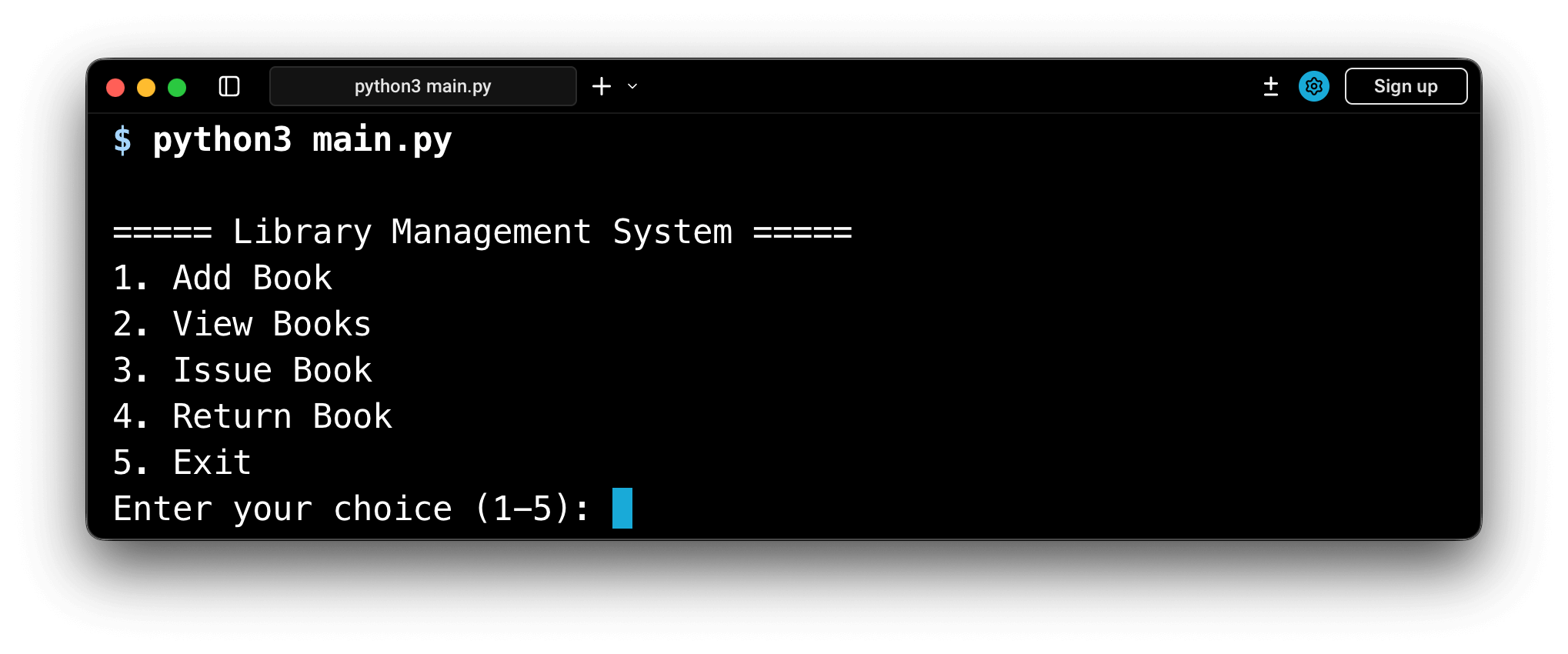
When the program starts, the user is presented with a menu displaying different library operations. The system runs continuously until the user chooses to exit. Each menu option triggers a specific function responsible for performing that operation.
The “Add Book” operation allows the user to enter the book name and author name. These details are appended to the data file along with the default status marked as available. This ensures that new books are immediately ready for issuing.
The “View Books” feature reads all records from the file and displays them in a structured and numbered format. This numbering system is important because it allows users to select books easily while issuing or returning them. If no books are present, the system clearly informs the user, preventing confusion.
The “Issue Book” operation works by first displaying the list of books. The user selects a book using its number. The system checks whether the selected book is already issued. If the book is available, its status is updated to issued and the changes are saved back to the file. If the book is already issued, the system notifies the user and prevents duplicate issuing.
The “Return Book” operation follows a similar process. The system verifies the selected book number and checks its current status. If the book is marked as issued, it is updated to available. This ensures data consistency and avoids logical errors.
Error Handling and Validation
Basic validation is implemented to handle incorrect inputs such as invalid menu choices or incorrect book numbers. The system also handles scenarios where the data file does not exist by displaying appropriate messages. These checks improve reliability and make the application user-friendly, especially for first-time users.
Advantages of the System
This Library Management System is lightweight, easy to understand, and does not require internet connectivity or database setup. It is ideal for learning purposes and small-scale usage. The modular design allows easy future enhancements such as student records, login systems, fine calculation, or graphical user interface integration.
Conclusion
The Python-based Library Management System demonstrates how real-world applications can be built using basic programming concepts. By using simple logic, file handling, and modular design, the project serves as an excellent learning tool for beginners and engineering students. It provides a strong foundation for understanding larger systems and can be extended further as per academic or practical requirements.